How to Add an Order Button to Google, Instagram and Facebook
Exact click paths to add your own ordering link on Google Business Profile, Instagram and Facebook, set it as preferred, and remove DoorDash or Grubhub links.
Today's Orders
0
More Channels
+42% Orders
vs single channel
TLDR
On Google, open your Business Profile, select Food ordering, choose Add a link, paste your ordering URL, then Set as preferred. In the same panel, Remove link clears any DoorDash, Grubhub or Uber Eats entry, and providers must remove it within 5 business days. On Instagram, the Order food action button only works with a Meta partner (DoorDash, Grubhub, Uber Eats, ChowNow, Toast, Slice and others), so your own URL goes under Edit profile, then Links. On Facebook, Options, then Add action button, choose Start order and paste your URL. Google stopped processing orders itself on June 30, 2024, so every order button now redirects to the link you set. Steps checked September 2026.
TLDR
On Google, open your Business Profile, select Food ordering, choose Add a link, paste your ordering URL, then Set as preferred. In the same panel, Remove link clears any DoorDash, Grubhub or Uber Eats entry, and providers must remove it within 5 business days. On Instagram, the Order food action button only works with a Meta partner, so your own URL goes under Edit profile, then Links. On Facebook, Options, then Add action button, choose Start order and paste your URL. Google stopped processing orders itself on June 30, 2024, so every order button now redirects to the link you set. Steps checked September 2026.
Add your own ordering link in Google Business Profile under Food ordering, in Facebook under Add action button, and in Instagram under Links, because Instagram's Order food button accepts only Meta partners.
This is the setup guide for the three order buttons customers tap most: Order online on your Google listing, and the action buttons on your Instagram profile and Facebook Page. It gives exact click paths, says which fields take your own URL, and shows how to remove the marketplace links Google adds on its own. The wider Google profile playbook (photos, categories, reviews) is in the local SEO guide for restaurants. Labels change, so where one may differ it is written as "X or Y". Steps checked September 2026.
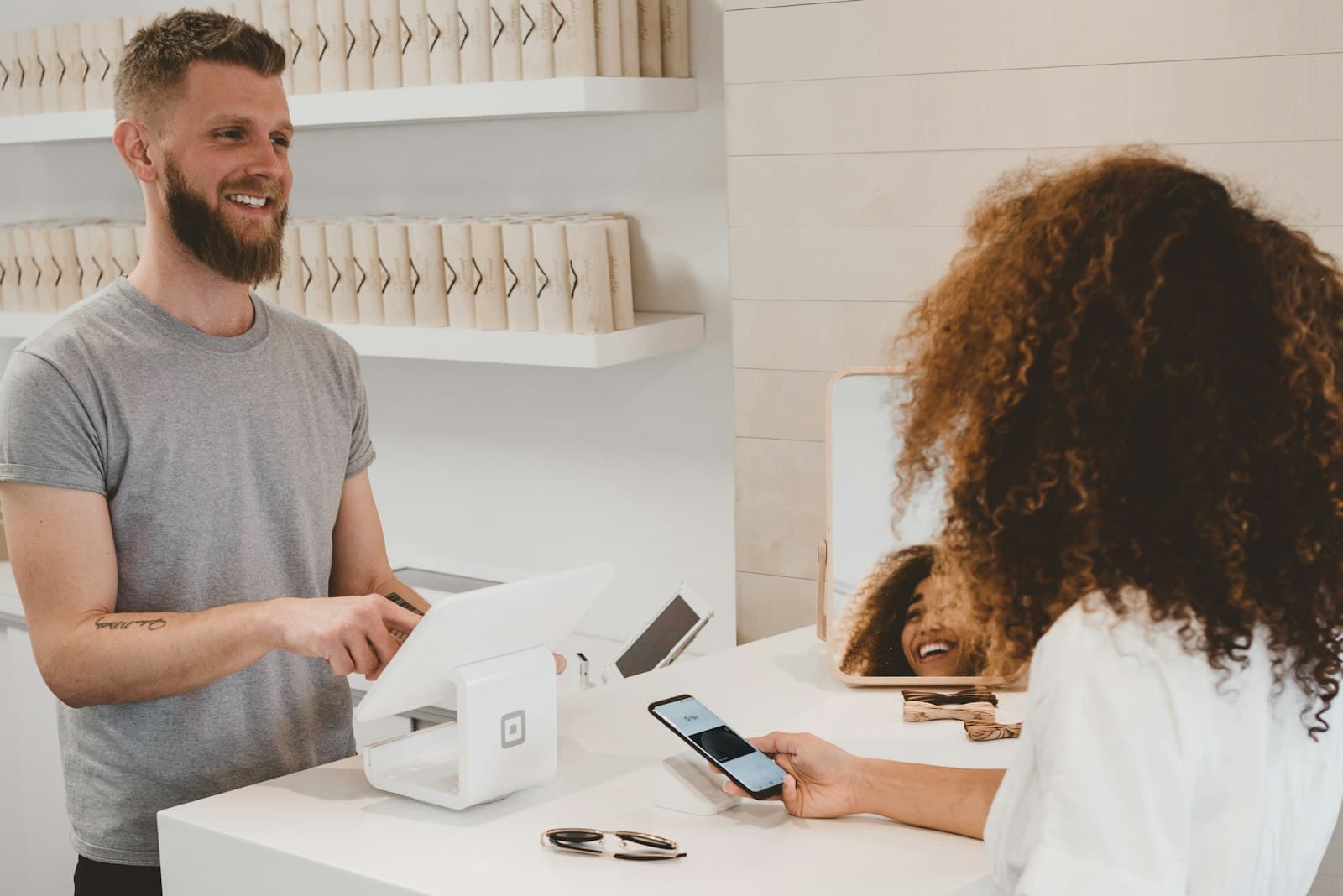
How do I add an Order online button to my Google Business Profile?
Sign in to the Google account that manages the profile, open your Business Profile from Search or Maps, select Food ordering, then Add a link at the bottom of the provider list. Paste your ordering URL and Save. Then select that link and choose Set as preferred so it sits on top with a "Business preferred" tag.
The labels below come from Google's Manage online ordering options and Manage your local business links help pages.
Step 1: Open the editor. Search your restaurant name on Google while signed in, or go to business.google.com. Google says that on Search you select Booking, Food ordering, or Pickup and delivery directly; on Maps you select Edit profile, then the transaction type.
Step 2: Select Food ordering. The section may read "Food ordering" or "Pickup and delivery". In some countries the options sit under the "Order online" button; in others they show as separate "Place an order" links.
Step 3: Turn on Accept orders on your profile. Off means nothing shows, including your own link.
Step 4: Add your link. At the bottom of the list, select Add a link (the links page calls it Add link, or Add another link if one exists). Paste your ordering page URL and Save. Google allows up to 10 links per category, so separate pickup and delivery pages are fine.
Step 5: Set it as preferred. Select your link, then Set as preferred. Turn on Preferred for pickup, Preferred for delivery, or both, then Save. You cannot turn on an option the link does not offer. Your link now shows first, tagged "Business preferred" (some surfaces show "Preferred by business"); other links stay visible until you remove them.
Add UTM tags to the URL (utm_source=google, utm_medium=profile) so these orders show up in your analytics. One limit from Google's page: local business links are not available through the Business Profile API or spreadsheet upload, so multi-location groups set them one location at a time.
How do I remove DoorDash, Grubhub or Uber Eats from my Google listing?
Open your Business Profile, select Food ordering, select the provider you want gone, then Remove link; Google's help page says providers must remove third-party links within 5 business days of your request, and you can report a violation to Google if they do not.
Why the links are there: Google's help center says third-party providers "who state they have authorized relationships with your business are automatically listed on your profile." Google does not check with you first, so a marketplace link can sit under your Order online button, sometimes above your own site.
Step 1: Open the Food ordering panel as above.
Step 2: Select the provider entry (DoorDash, Grubhub, Uber Eats, Postmates, or whatever appears).
Step 3: Select Remove link. Repeat for each provider.
Step 4: Check the listing again after 5 business days in an incognito browser. If the link is still there, file Google's third-party complaint form, which is the "report a violation" link on the help page.
Two cautions. Removing the link from Google does not remove your restaurant from the marketplace itself; delisting is a separate request to that company. And switching Accept orders on your profile off hides everything, first-party and third-party alike, per Google's own note. Keep it on and remove links one by one.
What happened to Order with Google?
Google ended its own in-listing food checkout at the end of June 2024; since June 30, 2024, the Order online button on Search and Maps only opens a list of links to providers and to the restaurant's own site, and you control which link is preferred.
Restaurant Business reported on February 1, 2024 that Order with Google would "redirect customers to third-party ordering sites or the restaurant's own website" from June 30, quoting a Google spokesperson: "people generally prefer to complete their food orders on partner and merchant websites." Before that date a customer could build a cart and pay inside Google through a partner integration, and older tutorials still show that flow. Google's developer hub now lists Redirect (a link out) as the food ordering integration, with a waitlist for a future in-Maps checkout protocol called UCP, and Google's restaurant page says merchants in Australia, Canada, Germany, Japan, the United Kingdom and the United States can work with ordering providers to show takeout and delivery options.
If a tutorial mentions a Google-hosted cart, checkout on the listing, or signing up for Order with Google, it describes a product that no longer exists.
How do I add an Order food button on Instagram?
On a business or creator account, tap Edit profile, then Action buttons under Public business information, choose Order food, select a partner, and tap Done. Instagram's help center says you must already have an account with a listed partner; there is no field for a plain URL, so your own ordering page goes in the profile Links field instead.
Two facts from Instagram's Add an action button and food order partners pages decide what you can do:
- Only one action button shows on a profile at a time, so Order food means giving up Reserve and Book now there.
- You need an existing account with a partner. The US list has 14 platforms, including DoorDash, Grubhub, Uber Eats, ChowNow, Toast, Slice, Caviar, Postmates and Ritual; Canada lists Caviar, ChowNow, DoorDash, Ritual, SkipTheDishes and Uber Eats.
If your ordering platform is listed, connect Instagram inside its dashboard first (Square's help page says its Order Food buttons are added automatically after linking), then pick it under Action buttons. If it is not listed, the button cannot point to your site, and a marketplace partner in that button means a commission on every tap.
The direct-link route. Instagram's Add a website to your profile page allows up to 5 websites: tap Edit profile, tap Links (the label may read Links or Add external link), tap Add link, paste your ordering URL, tap Done, then use Reorder links to put ordering first. In stories, use the Link sticker, which Instagram's October 27, 2021 announcement opened to all accounts except new ones and repeat guideline violators. The Food Orders sticker, like the button, requires a partner.
To remove a marketplace Order food button: Edit profile, Action buttons, tap Current button, select it, then Remove action button, per Meta's remove action buttons page.
How do I add a Start order button to my Facebook Page?
Log in to Facebook, click your profile photo, click See all profiles and switch into the Page, open the Page, click Options, then Add action button or Edit action button. Pick the ordering button, paste your ordering URL when asked for a website link, click Next, then Save.
Those labels are from Facebook's Add an action button page, which also says you need Facebook access to the Page (with task access only, you manage the Page through tools such as Meta Business Suite instead). That page does not list button names; ordering platforms' guides (Sauce, Bopple, GloriaFood) show the option as "Start order", and some button lists also show "Order food"; pick whichever ordering-style button appears, because the destination is what matters.
Unlike Instagram, this button takes a plain website link. It appears below the cover photo on desktop and near the top of the Page on mobile, and a Page shows one action button at a time. To change or remove it, Facebook's Edit or delete your Page's action button page gives the path: Options below the cover photo, Edit Action Button, then Change Button (or Delete Button, then Confirm). If a platform's Meta integration set the button for you, open the Page and confirm it points at the URL you want tracked.
What about Apple Maps and Yelp?
Apple Maps lets you add your own ordering URL as an Action on your place card through Apple Business (formerly Apple Business Connect), subject to Apple approval that can take up to three business days. Yelp's ordering widget is controlled by its transaction partners, and Yelp's own link button, Call to Action, is part of its paid advertising programs.
Apple Maps. Apple's guide, published April 14, 2026, says "Apple Business Connect is now Apple Business" and that Actions "appear on place cards by adding a direct link to your brand's website or preferred platform," with buttons named things like "Order". The path from Apple's Manage Actions page: sign in with a role that manages locations, choose Brands, then Locations, select the location, open the edit control next to Actions, select Add, pick the action type (restaurants get Menu, Reserve, Waitlist, Pickup and Delivery), add your URL, select Add, then Save. Your first Action becomes the Primary Action button; Change Primary Action switches it. Apple's About Actions page adds that customers need iOS 17.4 or later, and that UTM parameters are allowed in the URL while login tokens are not.
Yelp. Yelp's help center says ordering widgets are "automatically enabled based on information provided to us by our partners," and that to opt out you contact the partner directly; its listed food ordering partners are DoorDash, Grubhub, Delivery.com, EatStreet and ChowNow. Click through your page's order flow to see which partner logo appears. Yelp's Call to Action feature "links consumers directly to an order form, coupon, or page on a business's own website," but "is included in some of our advertising programs," and edits take 2 to 3 business days to approve. Pricing is not on the help page; ask your Yelp rep.
Does it matter which link the button points to?
Yes: a button that sends the customer to a marketplace app costs you that app's commission, typically 15% to 30% of the order, while a button that sends the same customer to your own ordering page costs card processing, about 2.9% plus 30 cents on Stripe's standard rate.
DoorDash's merchant pricing page lists 15% (Basic), 25% (Plus) and 30% (Premier) on delivery orders and 6% on pickup; the full table for every app is in the delivery app commission rates guide. The point here is narrower: these buttons carry your highest-intent clicks. Someone who searches your name and taps Order online is not comparison shopping, so paying an acquisition-sized fee on that order is the most avoidable cost in restaurant tech.
A worked example with round numbers: 200 orders a month through these buttons at a $32 average ticket, or $6,400 in sales.
| Where the button points | Fee on those 200 orders | You keep | Customer record |
|---|---|---|---|
| Marketplace app at 25% commission | About $1,600 | About $4,800 | Held by the app |
| Your own ordering page at about 3% processing | About $192 | About $6,208 | Held by you |
| Difference each month | About $1,408 |
Run your own volume through the commission calculator. No direct ordering page yet? Start with how to take online orders for your restaurant, then come back and point every button at it.
How do I check that the buttons actually work?
Search your restaurant name in an incognito or private window on a phone, tap every button you see, and screenshot where each one lands, once now and once a month, because third-party links can reappear when a provider resubmits data and a platform migration can quietly reset a button.
Incognito matters because the account that manages the profile can see a different view than the public. A phone matters because most order taps are mobile, and the Maps app and the mobile web listing lay out buttons differently.
Ten-minute monthly checklist:
| Channel | Where to check | What it should point to | Fix if wrong |
|---|---|---|---|
| Google Search | Incognito, phone, search your name, tap Order online | Your ordering page, tagged Business preferred | Food ordering, Set as preferred; Remove link on marketplaces |
| Google Maps app | Open your pin, tap Order | Same link as Search | Same panel; both surfaces read the same settings |
| Instagram profile | Open your profile logged out, tap the action button and each bio link | Partner only for Order food; your URL under Links | Edit profile, Action buttons or Links |
| Facebook Page | Open the Page on mobile web, tap the button under the cover photo | Your ordering page | Options, Edit action button |
| Apple Maps | Search your name in Maps on an iPhone, tap the primary Action and More | Your ordering page as Primary Action | Apple Business, Brands, Locations, Actions |
| Yelp | Open your page, click the order widget, note the partner logo | The partner you chose, or no widget | Contact the partner to opt out |
| Your own website | Tap the Order button on the home page | Your ordering page, not a marketplace | Edit the site button |
Keep the screenshots in a dated folder; if a link comes back, you have the date you removed it for Google's complaint form.
Where DirectOrders fits
DirectOrders gives an independent restaurant a branded ordering page on its own domain, commission-free, for a flat $249 a month (Pro) or $349 with Voice AI phone ordering, with a 14-day free trial. That page is the URL you paste into Google's Food ordering panel, the Facebook Start order button, the Instagram Links field and an Apple Maps Action, so your highest-intent taps land on a checkout you own, with same-day payouts and the customer record kept by you. The channels feature page lists every surface it connects, the discovery feature covers showing up when people ask AI assistants where to order, and the direct orders playbook covers the bag inserts and messages that move repeat customers over.
Sources
All steps and quotes checked September 2026.
- Google Business Profile Help: Manage online ordering options (Food ordering panel, Set as preferred, Remove link, 5 business days)
- Google Business Profile Help: Manage your local business links (Add link, 10 links per category, Business preferred)
- Google Business Profile Help: third-party complaint form
- Google Business Profile for restaurants (supported countries)
- Google Actions Center: Food Ordering integrations (Redirect; UCP waitlist)
- Restaurant Business, February 1, 2024: Google to scale back its restaurant ordering feature (June 30, 2024; spokesperson quote)
- Search Engine Roundtable, May 17, 2024: Order with Google going away end of June
- Instagram Help: Add an action button, About action buttons and Available partners and countries for food orders
- Instagram Help: Add a website to your Instagram profile and Add a Food Orders sticker to your story
- Instagram, October 27, 2021: Expanding sharing links in Stories to everyone
- Meta Business Help: Remove action buttons from your business profile
- Facebook Help: Add an action button to your Facebook Page and Edit or delete your Page's action button
- Square Support: Set up Facebook and Instagram food ordering
- Sauce, July 2, 2025: How to add the Order Food button to Instagram and Facebook and Bopple Help: Add Start Order to Facebook
- Apple Business User Guide: About Actions, Manage Actions for your showcase and Action URL standards (published April 14, 2026)
- Yelp for Business: disable food ordering provided by transactional partners, partner list, Call to Action feature and editing Call to Action
- DoorDash merchant pricing (15%, 25%, 30% delivery; 6% pickup)
- Stripe pricing (2.9% plus 30 cents)
Bottom line
Google, Facebook and Apple Maps all let you paste your own ordering URL, and Google lets you mark it preferred and strip out the marketplace links it added on its own, with a 5 business day clock on the provider. Instagram's Order food button is partner-only, so your own link lives in the profile Links field and the story Link sticker. Google's in-listing checkout ended on June 30, 2024, which is why every button is now a redirect you control. Point each one at your own ordering page, then check them all from a phone in an incognito window once a month, because the links you removed can come back.
Frequently Asked Questions
Google's help center says third-party providers who state they have an authorized relationship with your business are listed on your profile automatically. You can remove any of them: open your Business Profile, select Food ordering, select the provider, then Remove link. Google requires providers to remove the link within 5 business days, and gives you a violation report form if they do not.
Related resources
Related Articles
TikTok
0
Total Engagement
50 Restaurant Social Media Post Ideas (With a 30-Day Calendar)
50 restaurant social media post ideas, doable with a phone, a 30-day calendar, what Instagram, TikTok and Google say they rank, and how posts become orders.
Pankaj Avhad
Your Restaurant
Competitor A
Local SEO for Restaurants: Rank Higher and Get More Orders
A practical guide to local SEO for restaurants. Optimize your Google Business Profile, rank for local keywords, manage reviews, and get found by AI search engines.
Pankaj Avhad
How to Take Online Orders for Your Restaurant (2026 Guide)
The complete guide to restaurant online ordering: 5 methods compared, real costs, step-by-step setup, and how to keep 100% of your revenue instead of paying 15-30% to delivery apps.
Pankaj Avhad