DoorDash Error Charges: What They Are and How to Dispute Them
DoorDash charges 25% to 100% of a missing or wrong item plus tax and gives you 14 days to dispute; Uber Eats and Grubhub allow 30. Steps, evidence, and fixes.
TLDR
A DoorDash error charge is what you pay when DoorDash refunds a customer for a missing, incorrect, or poor-quality item: 25% to 100% of the item price plus tax, taken out of your payout, or 100% of the subtotal plus tax if the whole order was wrong. Late deliveries, no-shows, and temperature complaints are not charged to you, and DoorDash absorbs anything reported 72 hours or more after delivery. You have 14 days from delivery to dispute under Financials, then Transactions, and DoorDash answers within a few hours. Uber Eats and Grubhub run the same system with 30-day windows. A sealed bag, a checked-off receipt, and an order number on the bag win disputes and prevent most of them. Policies checked September 2026.
TLDR
A DoorDash error charge is what you pay when DoorDash refunds a customer for a missing, incorrect, or poor-quality item: 25% to 100% of the item price plus tax, taken out of your payout, or 100% of the subtotal plus tax if the whole order was wrong. Late deliveries, no-shows, and temperature complaints are not charged to you, and DoorDash absorbs anything reported 72 hours or more after delivery. You have 14 days from delivery to dispute in the Merchant Portal, and DoorDash answers within a few hours. Uber Eats and Grubhub run the same system with 30-day windows. A sealed bag, a checked-off receipt, and an order number on the bag win disputes and prevent most of them.
A DoorDash error charge is the cost of refunding a customer for a missing, wrong, or poor-quality item, deducted from your payout, and you can dispute it in the Merchant Portal within 14 days of delivery.
This is for the owner who opened a payout and found refunds they never approved: what DoorDash, Uber Eats, and Grubhub charge you for, how much, where it shows up, how to dispute on each, and the kitchen habits that prevent it. Every platform fact comes from the platforms' own merchant help pages, checked September 2026.
What is a DoorDash error charge?
A DoorDash error charge is a deduction from your payout that covers the refund or credit DoorDash gave a customer who reported an item missing, incorrect, or of substandard quality. DoorDash refunds the customer first, then bills you for the share it decides was your fault.
DoorDash's error charges and disputes article describes the sequence: the customer reports the issue, DoorDash evaluates it on error type, claim details, and signs of customer or Dasher fraud, and charges you only if it decides the error was merchant fault. You can then dispute, and DoorDash posts a resolution within a few hours.
Uber Eats calls the same thing an "order error adjustment." Grubhub labels it a "Prepaid Order Adjustment." The mechanism is identical: the app settles with the customer on your behalf, then decides whose money it was.
Which delivery errors does the restaurant pay for?
You pay for errors inside your kitchen's control on all three platforms: missing items, wrong items, wrong preparation, and a wrong order handed to the courier. The platform pays for what happens after handoff when its own courier delivers: late arrival, orders never delivered, damage in transit, and, on DoorDash and Uber Eats, cold food.
| Error type | DoorDash | Uber Eats | Grubhub | Typical remedy |
|---|---|---|---|---|
| Missing item | Restaurant | Restaurant | Restaurant | Item plus tax refunded and billed to you, partial to full |
| Wrong item or wrong preparation | Restaurant | Restaurant | Restaurant | Same; Uber Eats bills a wrong combo part at its a la carte price |
| Whole order wrong at handoff | Restaurant, 100% of subtotal plus tax, net of commissions | Restaurant, even for one wrong-order report in a batch | Restaurant | Full order refunded |
| Food quality (undercooked, foreign object, taste) | Restaurant | Platform | Restaurant | Refund funded per column |
| Cold food | Platform | Platform | Not listed | Refund, nothing billed to you |
| Damaged or tampered packaging | Not listed as a merchant charge | Platform | Platform if the driver did it; restaurant if damaged at handoff | Refund; the seal is your proof |
| Late delivery | Platform | Platform with Uber couriers; restaurant when your own drivers are about 70 minutes late | Platform with Grubhub drivers; restaurant when self-delivery is over 30 minutes late | Refund or credit |
| Never delivered | Platform | Platform, except own-driver orders or a store marked open while closed | Platform, except self-delivery | Full refund |
Food quality: DoorDash and Grubhub can charge you for it, while Uber Eats lists food quality and food condition as not partner charges. Self-delivery: Uber Eats charges you when your own drivers deliver roughly 70 minutes or more late or never deliver, and Grubhub's policies page says that since September 24, 2024 the merchant assumes refunds on self-delivery orders more than 30 minutes late. Reporting deadlines: DoorDash absorbs anything reported 72 hours or more after delivery, Uber Eats anything reported more than 96 hours after the order.
How much is a DoorDash error charge?
DoorDash charges between 25% and 100% of the item price plus tax, depending on how severe it judges the error, and 100% of the order subtotal plus tax, net of commissions, if the wrong order was handed to the Dasher. Uber Eats deducts a portion up to the full item cost including tax. Grubhub does not publish a formula.
Uber Eats' example on its managing refunds page is a $6 milkshake reported wrong: $6 plus 8.5% tax, so $6.51 out of your payout. DoorDash's range on a $10 item at a round 8% tax:
| Scenario (example, 8% tax) | Basis | Leaves your payout |
|---|---|---|
| $10 item missing, full DoorDash charge | 100% of item plus tax | $10.80 |
| Same item, minimum DoorDash charge | 25% of item plus tax | $2.70 |
| Uber Eats' own example, $6 milkshake at 8.5% tax | Full item plus tax | $6.51 |
Uber Eats keeps its full service fee on the whole order even when it adjusts an item, but does not charge you the customer's delivery or bag fee. DoorDash's "net of commissions" wording on wrong orders means the commission it would have kept is not part of what you repay. Run a marketplace order through the DoorDash fee calculator to see what it nets before any charge; plan rates are in the delivery app commission rates reference.
Where does the error charge show up, and when?
On DoorDash, error charges appear under Financials, then Transactions, as type "Error charge," and on your payout under Amendments; on Uber Eats they show in the Orders and Payments tabs and reach your pay statement within 1 to 2 weeks; on Grubhub they are "Prepaid Order Adjustment" lines under Financials, then Transactions.
| Platform | Where the charge appears | Dispute window | Who can file | Stated decision time |
|---|---|---|---|---|
| DoorDash | Financials, Transactions, filter "Error charge"; payout line "Amendments" | 14 days from delivery | Admin or Store Manager login | Within a few hours |
| Uber Eats | Orders tab; Payments tab under Customer Refunds; weekly Payment Summary email | 30 days from the order date | Admin or manager-level login | About an hour |
| Grubhub | Financials, Transactions, filter "Prepaid Order Adjustment"; statement section "Order adjustments" | 30 days from the order date | Portal login, phone, or email | About 24 hours |
DoorDash's payout and statement guide defines Amendments as "all error charges and other adjustments applied to your account"; net total is sales, minus commission and fees, plus amendments. DoorDash pays weekly unless you opt in to daily payouts in Settings, per its financials page, and monthly statements post by the 5th. For a spreadsheet: Reports, Create a Report, Financial report, tick "Error Charges and adjustments."
Uber Eats says refunds are reflected on your pay statement within 1 to 2 weeks from the order date, and since a December 2024 update the Orders page has a "Refunded by Uber" filter for refunds Uber paid itself. Grubhub's statement guide defines Order adjustments as customer refunds and upcharges after the order was placed, and notes Grubhub handles the customer conversation for you.
How do you dispute a DoorDash error charge?
Log in to the Merchant Portal with Admin or Store Manager access, go to Financials, then Transactions, filter by transaction type "Error charge," click the order number, click Dispute Charge, tick the items, choose a reason from the drop-down, and click Dispute Error Charges. The delivery must have happened within the last 14 days.
Before you click Dispute. The order page shows how long the customer has been on DoorDash and how often they order from you; DoorDash suggests weighing that first.
After you click. A yellow "Dispute under review" tag appears. Within a few hours it becomes "Dispute approved" with the amount, or "Dispute denied." Approved amounts show in the Adjustments column and are added to your estimated payout.
Three limits. Deliveries older than 14 days go through DoorDash Support. Third-party dispute submissions break the Portal terms of use. A store with a very high volume of dispute attempts in a short time can have the button disabled, usually re-enabled within 72 hours.
How to dispute an Uber Eats order error adjustment
Sign in to Uber Eats Manager with admin or manager-level access, open the Orders tab, find the order, select Dispute, give the reason, attach evidence, and submit. Uber requires the dispute within 30 days of the order date, aims to resolve it within about an hour, and shows progress in a tracker. Its refunds page says: "All disputes will be evaluated, and we can't guarantee reversals." Automated and third-party disputes are not allowed.
How to dispute a Grubhub order adjustment
Log in at restaurant.grubhub.com, go to Financials, then Transactions, filter for "Prepaid Order Adjustment," click the Transaction ID, click Dispute Adjustment, explain the error, and Submit. The window is 30 days from the order date (extended from 7 days on July 18, 2022), with a resolution typically within about 24 hours. To call or email, the policies page lists (877) 799-0790 and restaurants@grubhub.com (a second section gives restaurantcare@grubhub.com); include the order number, order date, adjustment date, and reason.
What evidence actually helps
Uber Eats publishes the clearest list: security footage of the order being prepared or bagged, photos of the sealed bag showing the order ID, and photos of a signed-off ticket with the order ID. DoorDash weighs photo evidence, error type, and fraud signals. One habit covers all three: a time-stamped photo of the sealed, labeled bag beside the checked-off ticket at handoff, on any order over a size you set, say $40.
What protections reduce error charges?
The strongest published protections are the reporting deadlines (72 hours on DoorDash, 96 hours on Uber Eats), the platforms' fraud filters on customers and couriers, and tamper-evident seals, which DoorDash tells Dashers never to open and Uber Eats treats as the line between your error and damage it pays for.
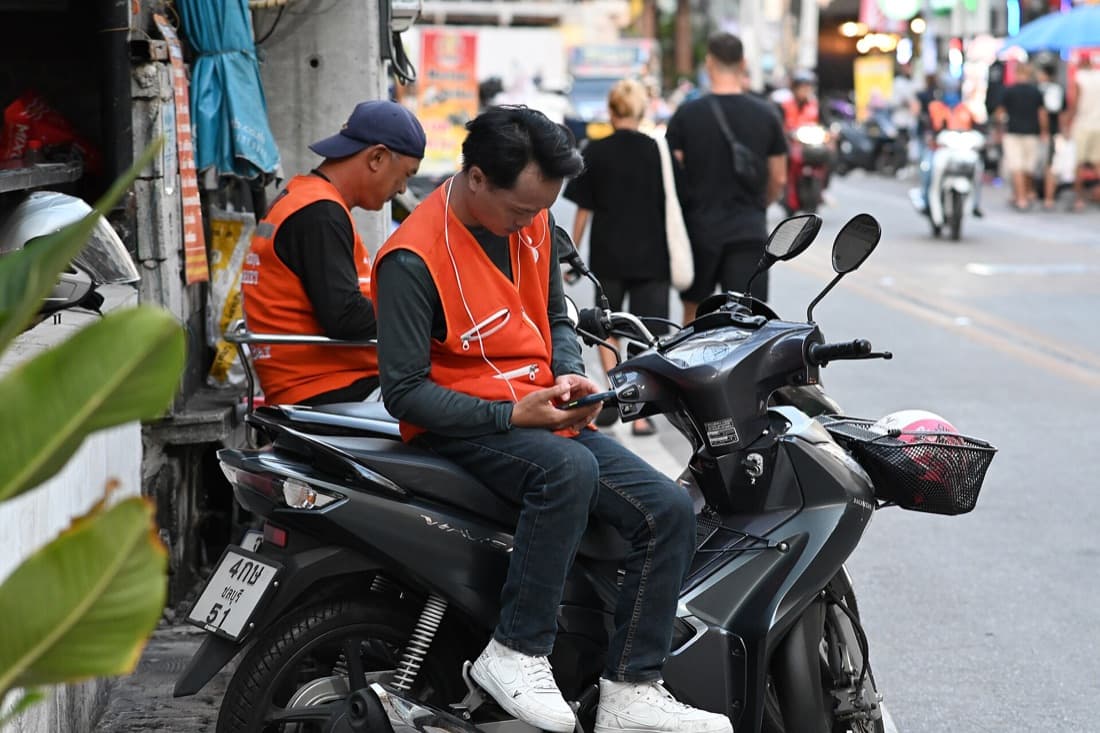
Sealed bags. DoorDash's Dasher merchant protocol tells drivers: "Do not open sealed bags. If you receive a sealed bag, both customers and restaurants require that you do not open the package," even to check the contents. Uber Eats' best-practice list says to "seal each order bag with tamper-evident materials when an order is complete," write the 5-digit order number on the bag, and number multiple bags "1 of 2." Uber files tampered packaging under damage complaints it does not charge to partners and accepts the sealed-bag photo as dispute evidence.
Fraud filters. DoorDash requires photos and comments from flagged customers, manually reviews customers with a high rate of refund requests, nudges Dashers at pickup about commonly missed items such as drinks and condiments, and monitors Dasher defect rates. Uber Eats tracks excessive customer refund rates, requires photo evidence in many cases, and does not charge you for suspicious deliveries (courier had multiple orders, arrived in under half the ETA, or delivered far from the drop-off).
Mark items out fast. On DoorDash, "Item Out of Stock" is a cancellation reason where the merchant is not paid, per its cancelled orders article. Grubhub's cancellation guidance says to hide sold-out items and cancels orders not confirmed within 15 minutes.
Ready time and self-delivery. DoorDash usually absorbs temperature refunds, but food that waited 20 minutes for a courier reads as "substandard quality," which it does charge; matching your quoted ready time to real prep time is covered in our in-house delivery cost and timing guide. If you run your own drivers, Uber Eats (about 70 minutes late) and Grubhub (over 30 minutes late) bill late self-delivery to you, so the dispatch discipline in that delivery guide is also a refund policy.
How do you track your error rate?
Divide orders with an error charge by delivered orders each month, on each platform, and track the dollars beside it; Uber Eats publishes one public bar, 98% order accuracy for Top Eats, DoorDash shows your benchmark only inside the Merchant Portal, and Grubhub publishes none. Set your own baseline over three months and cut it from there.
DoorDash's Operations Quality report (Insights tab) defines order accuracy as "the percentage of orders reported with missing or incorrect items that are attributable to store operations" and sets goals on "the average annual performance of the top 20% of DoorDash merchants"; its merchant status FAQ says exact benchmarks are in the portal. Uber Eats' Top Eats FAQ requires at least 100 orders over 12 weeks, under 1% cancellations, 98% or higher order accuracy, a 4.6-star rating, and 90% courier satisfaction. That 98% is the only public threshold, so a 2% inaccurate-order rate is a fair first target.
Keep one table per platform:
| Month (example) | Delivered orders | Orders charged | Dollars charged | Error rate | Disputes filed | Won back |
|---|---|---|---|---|---|---|
| June | 1,200 | 30 | $210 | 2.5% | 12 | $84 |
| July | 1,150 | 24 | $168 | 2.1% | 10 | $77 |
| August | 1,300 | 20 | $140 | 1.5% | 9 | $70 |
If the rate is flat but the dollars jump, one expensive item is going wrong; DoorDash's Order Accuracy tab and Uber Eats' Inaccurate orders chart show which. If disputes rise but dollars won back do not, stop disputing on reflex and start photographing at handoff.
The kitchen and expo checklist that stops chargeable errors
Built from the platforms' own advice: DoorDash's labeled bag, receipt check-off, dedicated bagging space, and high-risk item signage (combos, drinks, desserts, sauces), plus Uber Eats' seal, order number, and handoff check.
| Step | Who | When | What it prevents |
|---|---|---|---|
| Check off every ticket line as it goes in the bag | Expo | Every order | Missing items, the most common charge |
| Read modifiers aloud against the item | Line cook and expo | Every modified item | Wrong-preparation charges |
| Drinks, sauces, sides, and desserts get their own check-off line | Expo | Every order | The items DoorDash says Dashers miss most |
| Seal the bag with a tamper-evident sticker once checked | Expo | Every order | Tampered-package claims landing on you |
| Write the order number and name on the bag ("1 of 2" on multi-bag orders) and match it to the courier's pickup screen | Expo | Every pickup | Wrong order to the courier, the 100% charge |
| Second-person check on orders over your set size (say $40 or 4 entrees) | Manager or second expo | Large orders | Big-dollar errors and lost disputes |
| Photo of sealed bag plus ticket at handoff | Whoever hands off | Large orders | The evidence the platforms ask for |
| 86 an item on every app the minute you run out | Manager on duty | Same minute | Out-of-stock refunds and unpaid cancellations |
The check-off only works if the ticket is readable; laying one out so expo can scan it in three seconds is covered in restaurant kitchen ticket workflow.
Where DirectOrders fits
On a marketplace order, the platform decides what you owe and tells you afterward. On an order placed through your own site, the complaint comes to you, you decide the remedy, and you keep the customer's name and number. DirectOrders runs commission-free online ordering on your own branded site with same-day payouts, so a refund you choose to give is a line you can see, not an amendment to hunt for. Marketplaces still bring new customers; the useful move is steering repeat orders to a channel where the error policy is yours.
Sources
All checked September 2026.
- DoorDash Merchant Help: Understanding Error Charges and Disputes (charge range, 72-hour rule, 14-day window, dispute steps)
- DoorDash Merchant Help: Payout and Monthly Statement
- DoorDash Merchant Help: Financials
- DoorDash Merchant Help: Cancelled orders
- DoorDash Merchant Help: Operations Quality reporting
- DoorDash Merchant Help: Road to Most Loved FAQs
- DoorDash Dasher Help: Merchant Protocol FAQs
- Uber Eats Merchants: Order Errors (charge lists, 96-hour rule, 30-day window)
- Uber Help: Managing refunds for missing or incorrect orders
- Uber Eats Merchants: December 2024 order error enhancements
- Uber Help: Top Eats FAQ
- Grubhub for Restaurants: Policies (refund lists, 30-day window, dispute steps)
- Grubhub for Restaurants: Financial statement
- Grubhub for Restaurants: Reduce order cancellations
Bottom line
A DoorDash error charge is a refund DoorDash already gave a customer, billed back to you at 25% to 100% of the item plus tax. You have 14 days from delivery to dispute it under Financials, then Transactions; Uber Eats and Grubhub give you 30 days from the order date. Late, missing, and cold deliveries are the platform's problem when its courier delivers; missing, wrong, and badly made items are yours. Seal every bag, check off every ticket, write the order number on the outside, and photograph the big ones at handoff.
Frequently Asked Questions
DoorDash's merchant help center says the delivery must have occurred within the last 14 days to dispute through the Merchant Portal, and you need Admin or Store Manager access. Older charges have to go through DoorDash Support instead. Uber Eats and Grubhub both give you 30 days from the order date, and Grubhub notes the window used to be 7 days before July 2022.
Related resources
Related Articles
Should You Mark Up Menu Prices on DoorDash and Uber Eats?
DoorDash, Uber Eats and Grubhub all allow it. Covering a 30% commission takes a 43% markup, and DoorDash ties markups to up to 37% fewer sales. Full math.
Pankaj Avhad
Delivery App Commission Rates 2026: Every Platform Compared
How much does DoorDash charge restaurants? Every delivery app's 2026 commission rates, verified against vendor pricing pages, in one reference table.
Pankaj Avhad
Sarah M.
James K.
Lisa R.
Owned contacts
2,847
Does DoorDash Share Customer Data With Restaurants? (2026)
No. DoorDash, Uber Eats and Grubhub keep marketplace customers' emails and phone numbers. What you see per order, which products share data, and the NYC law.
Pankaj Avhad