Kitchen Order Tickets (KOT) in 2026: Stop Lost, Wrong, and Duplicate Orders
Run kitchen order tickets (KOT) so nothing gets lost, remade twice, or cooked with a missed change: routing, KDS vs printer, fire times, outage drill, 9 launch tests.
#1041
DINE-IN T12
2 Burger
1 Fries
06:40 grill
#1042
PICKUP
no onion
+ bacon
read back
#1042
REPRINT
1 Burger
+ bacon
do not cook
#1043
DELIVERY
Bag 2 of 2
4 items
all checked
Fired, changed, copy, or ready: every ticket should say which
TLDR
A kitchen order ticket (KOT) is the instruction the kitchen cooks from; a printer or KDS is only the delivery method. Orders get lost, duplicated, or cooked wrong in the gap between order entry and handoff, so give every order one identity, one destination per item, one acknowledged path for changes, and one named owner for the final check. Test routing for every order source separately, teach the difference between a reprint, a change, and a remake, define ready as the whole order passing the final check, keep a practiced paper fallback, and track remakes and missing items as a rate. Screens help only after the process works.
TLDR
A kitchen order ticket (KOT) is the instruction the kitchen cooks from. The printer or the KDS is only the delivery method. Orders get lost, duplicated, or cooked wrong in the gap between order entry and handoff, so give every order one identity, one destination per item, one acknowledged path for changes, and one named owner for the final check. Test routing for every order source separately, teach the difference between a reprint, a change, and a remake, define ready as the whole order passing the final check, keep a practiced paper fallback, and track remakes as a rate. Screens help only after the process works.
The customer ordered correctly. The server, the website, or the phone agent entered it correctly. The food still arrived wrong.
Somewhere between entry and handoff, a modifier fell off, a changed order stayed unchanged on the line, or a finished side was mistaken for a finished meal. Nobody stole anything and nobody was careless. The order simply passed through a process with a hole in it, and in 2026 that process carries more traffic than it was designed for: dine-in, your own direct online ordering channel, phone orders, marketplace tablets, kiosks, and scheduled catering all land in the same kitchen, often within the same ten minutes.
A kitchen ticket system exists to make that journey visible. Every order needs a consistent identity, clear instructions, a destination for each item, and a named owner for the final check. This guide walks one order from entry to handoff, shows where each failure hides, and gives you the nine tests to run before you trust any printer, screen, or integration with a Friday rush. The vendor behaviors cited below come from Square and Toast documentation current as of 2026; the numbers in the examples are illustrative.
What is a kitchen order ticket, and how is it different from a KDS?
A kitchen order ticket tells the preparation team what to make. KOT is the shorthand, and in a busy kitchen the word "ticket" usually means the same thing whether it is a printed slip on the rail or a card on a screen. A kitchen display system, or KDS, presents and manages those instructions on screens with routing, timers, and completion buttons.
The ticket is the instruction. The printer or the screen is the delivery method. Neither should be confused with the customer receipt or the payment record, even when all three come out of the same device.
| Method | Useful when | What needs attention |
|---|---|---|
| Handwritten tickets | A simple operation with manageable volume | Legibility, numbering, changes, reconciliation |
| Printed tickets | The POS can route a stable menu to stations | Printer condition, change settings, lost or duplicate paper |
| KDS | Several stations need shared status and timing | Routing, filters, completion behavior, network, training |
| Mixed system | Different stations need different tools | Which record controls the order, how changes reach everyone |
A small restaurant does not need a screen to look modern. It needs a workflow the team can execute accurately during its busiest service. A KDS bought to fix a broken paper process usually produces a broken screen process with better fonts, because it inherits every routing, filter, and training gap the paper had. If you are still choosing hardware, our restaurant POS system cost guide covers the buying decision; this guide covers what happens after the order is in.
What should every kitchen ticket contain?
Every ticket should carry the order identifier, the source, the fulfillment type, the table or pickup identifier, each item with its quantity and modifiers, and the relevant timing. Special instructions belong attached to the specific item they change, not floating at the bottom of the ticket.
Two burgers with different changes is the classic trap. "Two burgers, no onion" can mean both without onion or one without onion, and the cook will decide in half a second. Separate the items so the ticket reads as one standard burger and one burger without onion, each on its own line.
- Use structured modifier options for common choices. No onion, extra cheese, sub fries for salad, well done. Structured options print consistently and can be counted later.
- Keep free-text notes for genuine exceptions. A note is a signal that the menu is missing a modifier. Review the notes monthly and promote the frequent ones into real options.
- Train staff to clarify before sending. An ambiguous request resolved at the counter costs ten seconds. The same request resolved at the pass costs a remake.
- Show the fulfillment type on every ticket. Dine-in, pickup, delivery, and scheduled orders need different packaging, timing, and handoff steps, and the kitchen should not have to guess.
Allergy requests deserve their own rule. Follow your restaurant's established confirmation and preparation procedure, and make the allergy visible at the item level. Removing an ingredient does not by itself prevent cross-contact. The FDA Food Code addresses employee allergen awareness, and because the Code is a model that states and localities adopt with their own modifications, the requirements that apply to your kitchen depend on your jurisdiction. Train to the local rule, not to the ticket.
How does one order travel from entry to handoff?
An illustrative pickup order contains a burger, fries, a salad, and a drink. It should pass through six stages, and every one of them needs an owner.
- Enter the order once through the designated process, whatever the source. Retyping an online order into the POS is where the first modifier disappears.
- Route each item to its responsible station. The burger goes to the grill, the salad to cold prep, the drink to the beverage station, and the fries to whoever owns the fryer. An item with no station is an item nobody cooks.
- Make receipt visible to the people coordinating service. If the expo or the shift leader cannot see that order 1042 exists, they cannot notice that it is late.
- Prepare items in a sequence that produces a complete meal, not a race to start everything at once.
- Check the assembled order against the current instructions, meaning the version that includes any change made after the ticket first printed.
- Confirm the recipient and record the handoff. For pickup and delivery, this is the step that stops the right bag leaving with the wrong courier.
One Order, One Identity: #1042 From Entry to Handoff
The same identifier travels through every station. A change is an event that gets acknowledged, not a silent edit.
Pickup · Website · 5:42 pm
- 1 Burger, no onion
- 1 Fries
- 1 Garden salad
- 1 Lemonade
- Burger, no onion
- Fries
- Garden salad, dressing on side
- Lemonade, large
- 4 items, 4 quantities
- Modifiers match the current ticket
- Bag 1 of 1, utensils in
- Name on bag: Ramirez
Recipient confirmed. Ready pressed at 6:01 pm, once it was true.
Illustrative order. Routing paths for POS-entered and online orders are configured separately on most systems, so test both.
The expediter, usually called expo, coordinates the finished order. In a small restaurant the packer or the shift leader performs that role, and that is fine, as long as the role has a name and a person on every shift. An order with three stations and no expo has three people who each believe someone else is checking it.
Integrations remove retyping without guaranteeing correct routing. Square's documentation treats POS-source routing and online-order routing as separately configurable paths (Square KDS routing). Test both. The same discipline applies to any POS and online ordering integration: the order arriving in the POS is the start of the journey, not proof that it reached the grill.
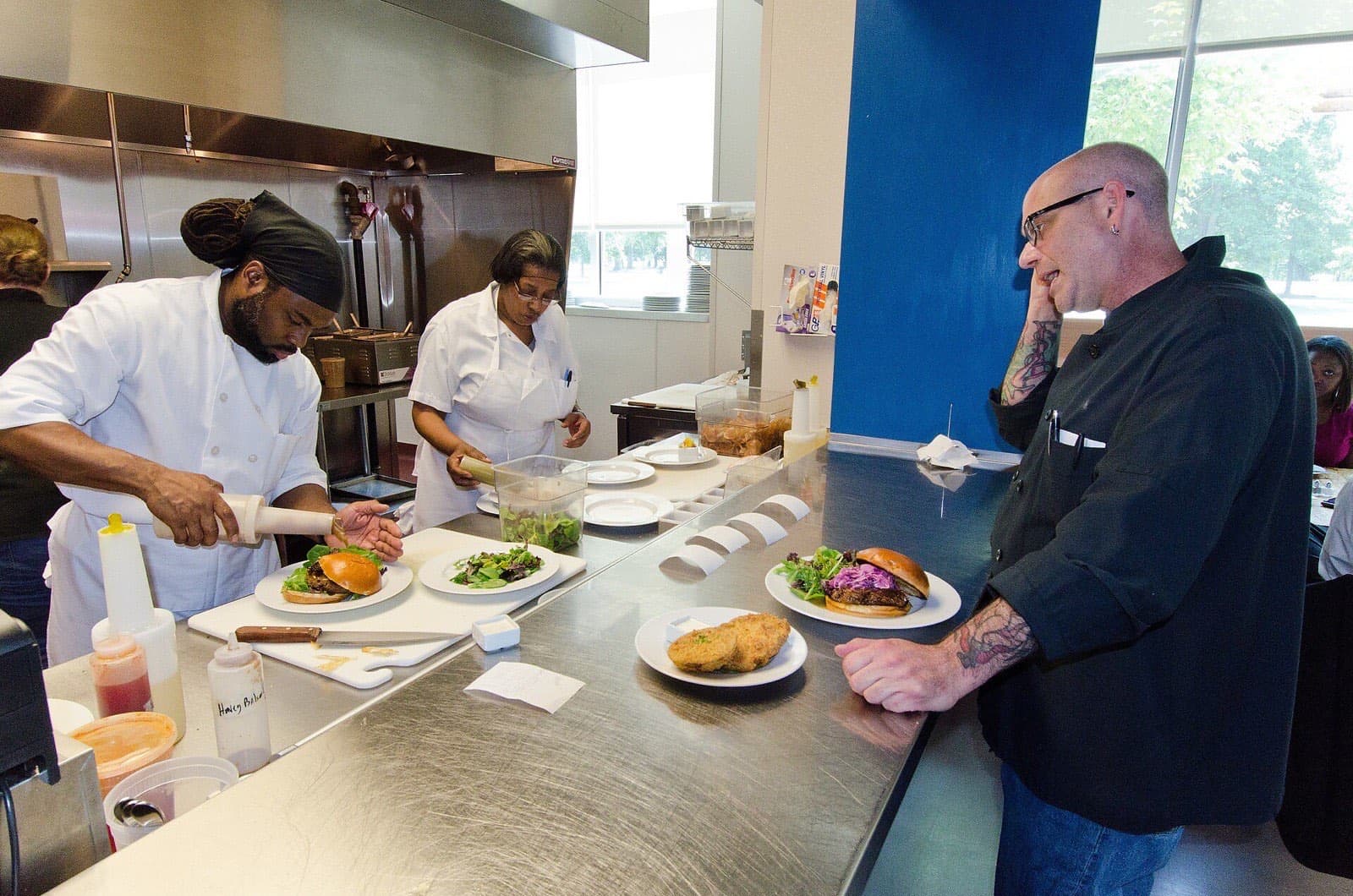
Why do online orders show up in the POS but not in the kitchen?
Because "the order is in the system" and "the order is in the kitchen" are two different facts. Before anyone reboots anything, establish which one is false. An order absent from the business system, absent from the whole kitchen, or absent from one display are three different failures with three different fixes.
| Symptom | First investigation |
|---|---|
| Order missing everywhere | Verify acceptance and the original order source |
| Order in POS, missing from kitchen | Check item routing and receiving devices |
| Printed, absent from a screen | Check display filters and assigned stations |
| Dine-in works, online does not | Check source and fulfillment settings |
| One item keeps disappearing | Check that item's prep-station assignment |
Toast's troubleshooting guidance identifies preparation-station assignments and device filters as causes of missing kitchen orders (Toast order troubleshooting), and its KDS documentation describes prep-station and dining-option display filters that decide what each screen shows. A filter that hides delivery orders from the grill screen is not a bug. It is a setting somebody chose, possibly years ago, for a menu that no longer exists.
The most common version of this failure is the new menu item. A special gets a price, a photo, and a description, and goes live on the website by lunch. It never got a prep station, so it prints nowhere. Put routing on the launch checklist for every new item, and run one test order for it from each source before the special is announced.
How should the kitchen handle changes, voids, and cancellations?
Treat a change as an event that requires acknowledgment, not as an edit to a record. The record updates instantly. The cook who already has the burger on the grill does not.
For a burger changed after preparation starts, the sequence is: identify the order and the item, communicate the new instruction to the station, confirm the station received it, and establish whether the change is still possible. If a remake is required, record it as a remake with the reason. A change that arrives as a silent edit on a screen the cook is not looking at is a change that did not happen.
Printed systems need particular care. Toast documents separate options for printing changes and voids, including requirements for cancellation tickets from certain marketplace orders, and its KDS behavior and printed-ticket behavior are not identical (Toast changes and voids). If your kitchen prints, confirm that a change actually produces paper at the affected station, and that the paper is visibly different from an original ticket.
For a cancellation, check two outcomes independently: production stopped where possible, and the payment or refund received the correct treatment. A kitchen void is not proof that the customer's refund succeeded, and a processed refund is not proof that the grill stopped cooking. The two systems do not know about each other unless somebody checks.
Preserve an understandable record of who made each change, when, and why. Review unusual patterns as exceptions that need an explanation, not as automatic evidence of misconduct. A station that logs a lot of remakes on one item is usually telling you about a recipe card, a modifier, or a training gap.
Reprint, change, or remake: how do you stop a copy becoming a second meal?
Teach three distinct meanings, and make each one look different on the rail or the screen.
| Ticket event | Meaning | Required action |
|---|---|---|
| Reprint | Another copy of an existing order | Confirm status before cooking anything again |
| Change | The original order was modified | Follow the updated instruction and acknowledge it |
| Remake | A second preparation is authorized | Record the item, the reason, and the original order |
If the platform cannot make these differences obvious, add a consistent manual marking and an acknowledgment habit: the expo initials a reprint, a change is read back to the station, a remake gets a reason on the ticket. A verbal instruction can carry service through a rush, but it should not become the only record of a comp, a cancellation, or a remake. Otherwise the inventory count and the incident review both lose their explanation.
The money in this table is larger than it looks. Restaurant food cost runs around a third of sales, with the National Restaurant Association's 2024 median at 32.0% for full-service operators (see our food cost percentage guide). On an $18 entree at a 32% plate cost, one remake spends $11.52 in ingredients to earn $18 once, before the cook's time and before the comp if the guest walks. Twelve avoidable remakes a week at that plate cost is roughly $138 in ingredients alone, about $7,200 a year, and that is the small number. The large number is the guest who does not reorder. Those figures are illustrative arithmetic, not a benchmark, but they explain why the reprint-versus-remake distinction deserves five minutes in every new hire's training.
Should every item start cooking the moment the ticket arrives?
Not necessarily. The goal is a coordinated meal, not identical start times.
In a simplified example, one item takes 12 minutes and another takes four. Starting both when the ticket lands leaves the quicker item waiting eight minutes under a heat lamp or, worse, in a delivery bag. Real sequencing has to account for the dish, safe holding, the station's workload, and the equipment available at that moment, which is why the fire decision belongs to a person with a view of the whole board rather than to the printer.
Distinguish three clocks: when the order was received, when preparation begins, and when the order is promised. Scheduled orders need advance visibility for planning without triggering immediate production. A catering order received at 4 p.m. for a 6 p.m. pickup should be on the board at 4 p.m. and on the grill at 5:45 p.m.
Three Clocks: Received, Fired, Promised
A scheduled order should be on the board early and on the grill late, on purpose.
Planning visibility and cooking start time are different. Timings are illustrative. Firing by prep time does not, on its own, change the time quoted to the customer.
Toast documents firing items based on preparation times, and states that this does not automatically change the quoted online-order time (Toast preparation-time firing). That is the important distinction: kitchen timing and customer promises are separate settings, and adjusting one does not adjust the other.
During a rush, assign one person to manage competing priorities, and give that person the authority to revise quoted times or limit intake through the controls your operation actually has. Faster order entry does not increase oven capacity. If the board is full, the honest move is a longer quote, not a shorter one that the kitchen will miss. For pickup and delivery the promise does not end at the pass, and our in-house delivery cost and timing guide covers the part of the quote that happens after the bag leaves the kitchen.
When is an order actually ready?
Define ready as the complete order passing the final check, not the first station finishing. A burger under the lamp is not a ready order; a burger, fries, salad, drink, napkins, and the right name on the bag is.
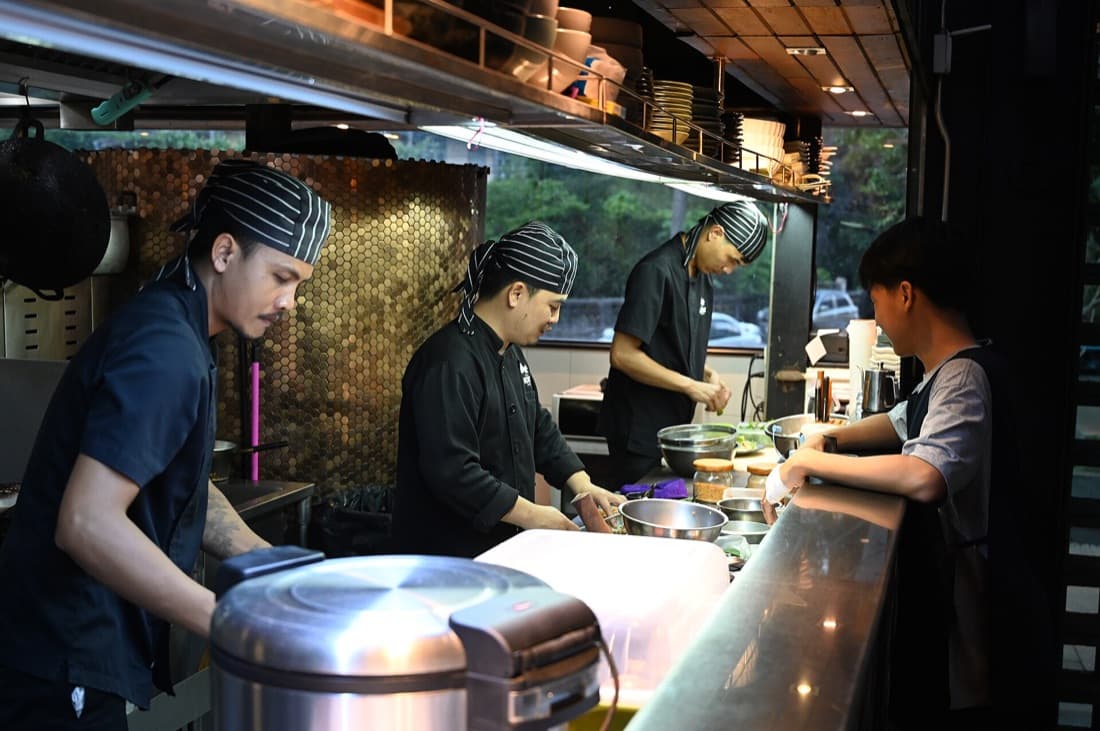
The final check covers item count, quantities, modifiers, sides, drinks, packaging, and recipient identification. For an order that fills several bags, mark the total number on each bag so the handoff does not leave one on the shelf. "Bag 2 of 3" costs nothing and ends a whole category of missing-item complaints.
Completion buttons can have consequences outside the kitchen. Square documents that, with automatic updates enabled, completing tickets at expo can set the order to Ready on third-party delivery platforms, and that recalling a ticket does not reverse that external Ready status (Square completion and recall). In practice that means a cook who taps Done to tidy a crowded screen may have just summoned a courier to collect food that does not exist yet.
Train staff on your actual configuration, not on what a screen appears to do. Clearing a ticket is a message to the outside world in every system where status flows to a customer, a courier, or a marketplace.
What is your kitchen outage procedure?
Keep an accessible fallback kit: numbered paper tickets, pens, the current menu with modifiers, key contacts, and a brief reconciliation checklist. Then decide who is in charge the moment something fails, because the first ten minutes of an outage are spent by three people trying three different fixes.
- Identify the failure before switching processes. A printer fault, an internet outage, a payment disruption, and a local network failure do not have the same effects. An internet outage may leave the POS working but stop online orders arriving; a printer fault may leave everything arriving and nothing printing.
- Designate one person to track incoming orders. Record whether each order is accepted, prepared, handed off, and paid, on numbered tickets so nothing is counted twice.
- Follow the payment provider's approved fallback. Do not improvise a way to store card details. The approved process exists because the improvised one creates liability.
- Reconcile before you replay. When systems return, check pending orders against the manual record before re-entering anything. Toast notes that online orders can appear on the KDS after connectivity returns, which is exactly the moment an already-cooked order gets cooked again (Toast online ordering outages and disruptions).
Test the fallback in a controlled exercise on a quiet afternoon. A paper procedure nobody has practiced is unlikely to become clearer during a Friday rush, and the drill usually reveals that the "current menu" in the kit is two price changes old.
What should you test before launch, and after every change?
Run these tests for every relevant order source and fulfillment type. Not once for the restaurant: once per source, per type, because the settings are separate and the failures are too.
| Test | Passing result |
|---|---|
| Multi-station order | Every item reaches the correct station and the final checker |
| Two identical items, different modifiers | Each change stays attached to the correct item |
| Change after sending | Affected station receives and acknowledges the update |
| Cancellation after prep starts | Production and payment outcomes verified separately |
| Reprint and remake | Staff can tell a copy from a second preparation |
| Scheduled order | Visible for planning, released at the intended time |
| Accidental completion | Staff restore the ticket and check external status |
| Outage and recovery | No lost or duplicated production or payment |
| Multi-bag handoff | Recipient receives every bag and every separate item |
Record the device, the source, the observed result, the responsible person, and any unresolved issue. Repeat the affected tests after any routing, menu, or integration change, including a POS software update. A test log that says "pickup orders from the website, tested September 2026, salad routes to cold prep, passed" is the document that turns the next missing-order argument into a two-minute check.
How do you measure whether kitchen tickets are getting better?
Track remakes, missing-item complaints, duplicate production, and orders ready by their promised time. Use a rate alongside the count, because a count without a denominator cannot tell a busy week from a bad one: 12 problem orders out of 600 is 2%, and 12 out of 300 is 4%.
The Ticket Scorecard: Count It as a Rate
One illustrative week of 600 orders. A count without a denominator cannot tell a busy week from a bad one.
Remake rate
2.0%
12 of 600 orders
Missing-item complaints
1.0%
6 of 600 orders
Duplicate production
0.3%
2 of 600 orders
Ready by promised time
93.5%
561 of 600 orders
Where the 21 recorded incidents came from
Illustrative figures, not benchmarks. Define the timer (acceptance-to-ready, fire-to-ready, ready-to-handoff) before comparing weeks, and read the slowest ten orders, not just the average.
Define the timer before you compare anything. Acceptance-to-ready, fire-to-ready, and ready-to-handoff measure different parts of the journey, and a kitchen that looks fast on fire-to-ready can be slow on acceptance-to-ready because tickets sit unfired. Compare similar periods and order types. An average hides the longest delays, so inspect the slowest ten orders of the week as a habit, not as an investigation.
Break the problem orders down by cause and by source. If most missing-item complaints come from delivery orders, the fix is at the bagging step, not at the grill. If most missed modifiers come from one order channel, the fix is in how that channel formats its tickets. The same by-source breakdown works on the handoff side of the counter, where a missing drink is usually a bagging problem rather than a cooking one.
Where can AI help in the kitchen in 2026, and where should it stay out?
AI can group incident reasons, spot recurring delays in exported ticket data, and draft the test log and the outage checklist from your notes. Those are pattern-finding and paperwork jobs, and they are the jobs a shift leader never has time for.
It should not invent causes, change allergy instructions, or silently reprioritize service without an approved operating process. A model that reorders the board to optimize average ticket time can quietly starve the scheduled catering order that matters most, and it cannot see that the fryer is down.
A useful prompt, once you have exported a month of remake, void, and completion records:
Here is one month of kitchen incident records (remakes, voids,
missing-item complaints, late orders) with order source, station,
item, time, and the reason recorded by staff.

Group the incidents by cause, station, order source, and hour of
day. Show counts and rates per 100 orders for each group. Flag the
five most frequent item-and-modifier combinations involved.

Do not guess at causes that are not in the records. Where the
reason field is blank, count it as "unrecorded" and tell me what
share of incidents that represents. Suggest which three tests from
my launch checklist I should rerun first, and say why.
The output is a list of questions for the next pre-shift meeting, not a verdict. The person who reads it still walks the line.
What changes for kitchen tickets in 2027?
The order sources keep multiplying and the kitchen does not get bigger. Voice agents that take phone orders, ordering through chat assistants, marketplace orders injected straight into the POS, kiosks, and scheduled catering all arrive as tickets, and every new source is a new routing path to test. The 15+ ordering channels a restaurant menu can live on today are also 15 places a modifier can get lost.
Three preparations pay off before 2027, and none of them requires a prediction:
- Keep the test log current. Every new channel, menu item, and POS update gets the nine tests above, dated and signed. Vendor documentation for KDS and printer behavior was updated several times during 2026 alone, so re-read the settings pages after each update rather than trusting last year's configuration.
- Automate status flow only where you have verified it. Ready notifications to customers and couriers are useful when the Ready button means ready. Turn them on after the accidental-completion test passes, not before.
- Make the expo role real. As sources multiply, the final check is the one control that catches every failure upstream. It needs a person, a station, and a checklist on every shift, including the quiet ones where the owner used to do it from memory.
The pass-through checklist
The whole method in ten lines, for the wall by the pass:
- One order, one identifier, from entry to handoff.
- Every item carries its own modifiers; two burgers means two lines.
- Every item has a station; every new menu item is routed before it is announced.
- A change is read back and acknowledged, not just saved.
- Reprint, change, and remake look different and mean different things.
- Cancellation checks production and payment separately.
- Scheduled orders are visible early and fired late, on purpose.
- Ready means the whole order passed the final check, bags counted.
- The Ready button talks to customers and couriers; press it when it is true.
- Paper fallback practiced, outage kit current, recovery reconciled before replay.
Get those ten right and the screens become what they should have been all along: a faster way to run a process that already works.
Sources
Regulatory and food safety:
- FDA Food Code: the model code covering employee allergen awareness, adopted and modified by state and local jurisdictions
Vendor documentation on ticket routing, changes, completion, and outages:
- Square: Route orders with your KDS: POS-source routing and online-order routing configured separately
- Square: Complete orders with Square KDS: automatic Ready status to third-party platforms on expo completion; recall does not reverse external status
- Toast: Troubleshoot in-house orders: prep-station assignment and device filters as causes of missing kitchen orders
- Toast: Configure order changes or voids to auto-print in the kitchen: separate settings for printing changes and voids, including marketplace cancellation tickets
- Toast: Fire by prep time: item firing based on preparation times without changing quoted online-order times
- Toast: Outages and disruptions, online ordering: online orders can appear on the KDS after connectivity returns
Cost context used in the remake example:
- National Restaurant Association, 2025 Restaurant Operations Data Abstract: median food cost of 32.0% of sales for full-service operators in 2024, as summarized in our food cost guide; the remake arithmetic above is illustrative
Frequently Asked Questions
KOT stands for kitchen order ticket. It is the instruction that tells the preparation team what to make for a specific order: the order number, the source, the fulfillment type, each item with its quantity and modifiers, and the timing. The ticket can be handwritten, printed at a station, or displayed on a kitchen display system, but the information and the process around it matter more than the medium.
Related resources
Related Articles
DoorDash Error Charges: What They Are and How to Dispute Them
DoorDash charges 25% to 100% of a missing or wrong item plus tax and gives you 14 days to dispute; Uber Eats and Grubhub allow 30. Steps, evidence, and fixes.
Pankaj Avhad
Central kitchen
one production hub
Commissary and Central Kitchen Guide for Restaurants (2026)
What is a commissary food service system? Definition, central kitchen examples, cook-chill rules, 2026 rental costs, and when to centralize production.
Pankaj Avhad
Restaurant Failure Rate 2026: 17% Fail Year One, Not 90%
What percentage of restaurants fail? BLS data shows 14 to 17% close in year one, not 90%. See real survival statistics for years 1, 5, and 15.
Pankaj Avhad